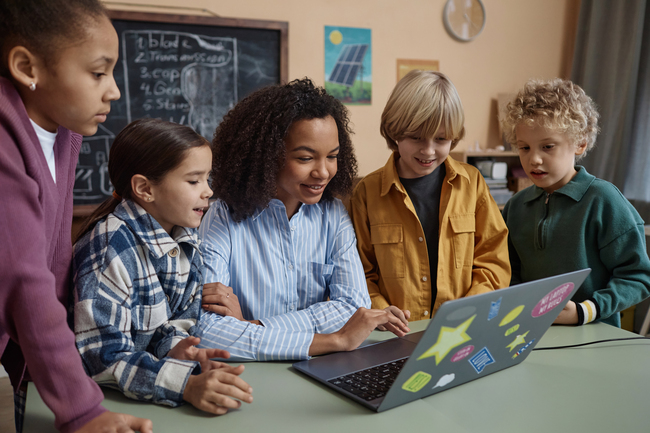
Incorporating technology into elementary literacy spaces presents many challenges for teachers and students alike. Time constraints, device issues, and accessibility concerns make digital projects feel overwhelming. While these concerns are valid, my experience has shown that digital literacy projects can become a powerful and engaging norm in diverse classrooms across the nation.
I currently teach 23 second grade students who are eager to use technology in ways that far exceed what many adults expect from young learners. My students represent a wide range of academic ability, socioeconomic backgrounds, and linguistic identities, which means each of their products rarely look the same. Teaching in such a diverse classroom has taught me how difficult it can be to get every student invested in literacy projects. Yet it has also shown me how transformative digital tools can be when students are positioned as creators rather than passive consumers.
Using different platforms to create meaningful literacy experiences
Before diving into the projects, it’s important to note one key factor: Choice! Student buy-in dramatically increases when learners have ownership over what they read, research, and create. I often design literacy projects around a broad standard and then allow students to choose specific texts or topics they want to explore. I have found that choice is the most crucial component that gets even your reluctant readers to enjoy these projects.
Project #1: Pairing reader's theater with Canva
Early in the year, I noticed many of my students struggled with reading fluency. I tried traditional strategies like fluency trackers, character sticks, and individual recordings. All of these tasks were time-consuming, lacked consistency, and didn’t spark genuine engagement. I needed something more interactive, so I turned to reader’s theater with a digital twist: I selected five short reader’s theater scripts and gave a brief description of each story. They signed up for the story that interested them most, which immediately created a sense of agency.
Groups decided on roles, practiced during small-group reading time, and determined if they needed props or costumes. Their independence during this process reminded me how capable young learners are when expectations are high and clear. To elevate the project, I told students that they were going to become “movie stars” and that we would host a watch party once their films were complete. Their excitement was immediate.
After groups practiced their lines, I recorded each performance on my phone—no fancy green screen needed. I uploaded the videos to Canva, used the background remover tool, and allowed students to help select digital settings and graphics that matched their scripts. One group performing a pirate story added a treasure chest and a ship sailing into the sunset. Another group needed multiple settings, so we placed different clips on separate Canva slides with their backgrounds.
Once all the movies were complete, we hosted a watch party with juice and popcorn. Weeks later, students were still talking about their “movie debut.”
Project #2: Leveraging PebbleGo and Clipchamp for a news broadcast
The success of my previous project energized both my students and me. With their confidence growing, I introduced a second grade digital literacy project connected to our nonfiction standards. Nonfiction can be challenging for young learners, so I wanted to design an experience that made informational reading and writing feel purposeful. We decided that we would become extreme weather newscasters.
Students signed up for the weather phenomena that most interested them (i.e. floods, hurricanes, blizzards, tornadoes). They read nonfiction texts, researched on PebbleGo, and wrote scripts with an introduction, key facts, safety tips, and a conclusion. Many students had never watched a news broadcast before, so we viewed kid-friendly examples to help them understand tone, pacing, and structure.
Each student wrote their portion of the script and practiced reading it aloud. When they were ready, I handed them a Bluetooth microphone and an iPad to begin recording. Students took turns recording one another, which allowed them to practice speaking, listening, and using technology. We uploaded their videos into Clipchamp, added a news-style introduction with music, and layered in digital backgrounds to simulate being “on location” at the site of the extreme weather. The final products were creative, collaborative, and student-driven.
Adapting these projects for older students
My experience reaffirmed my belief that technology should be used in interactive, meaningful, and student-centered ways. Digital tools should not reduce students to silent participants completing tasks they will soon forget. Instead, technology can amplify student voice, deepen literacy learning, and create space for authentic collaboration.
These projects can also be adapted for older students. Older students could transform research projects—such as historical events or scientific discoveries—into news broadcasts that require accurate reporting and clear communication. Debate style “movie making” could support opinion writing grounded in facts and strong reasons. Reader’s theater can be used across grade levels to strengthen fluency, expression, and comprehension.
Incorporating technology shouldn’t feel intimidating for teachers. When used intentionally, it can inspire students, empower creativity, and transform literacy instruction into something memorable.
You May Also Like
In the Age of AI, Critical Literacy Starts in Preschool
Using Mentor Texts and AI to Transform Grammar Instruction